
Scott Powell
Ripple UI v12.3
The latest release of the Ripple UI firmwares has a number of fixes and improvements:
- epaper devices (Pro/Max/T5) now support dithering of colour map tilesets
- some crash bugs now fixed
- Map tile downloads over WiFi
- New devices (MeshPager X2, WIO Tracker L2 Pro)
- GPS compass arrow
- Some multi-byte path fixes (eg. adverts)
ePaper Maps
The T-Deck Max/Pro and the T5 Pro firmwares now support switching map tile sets, between
dedicated black & white (whatever is in the /tiles-bw fodler) and standard
colour OSM tiles (in the /tiles folder)
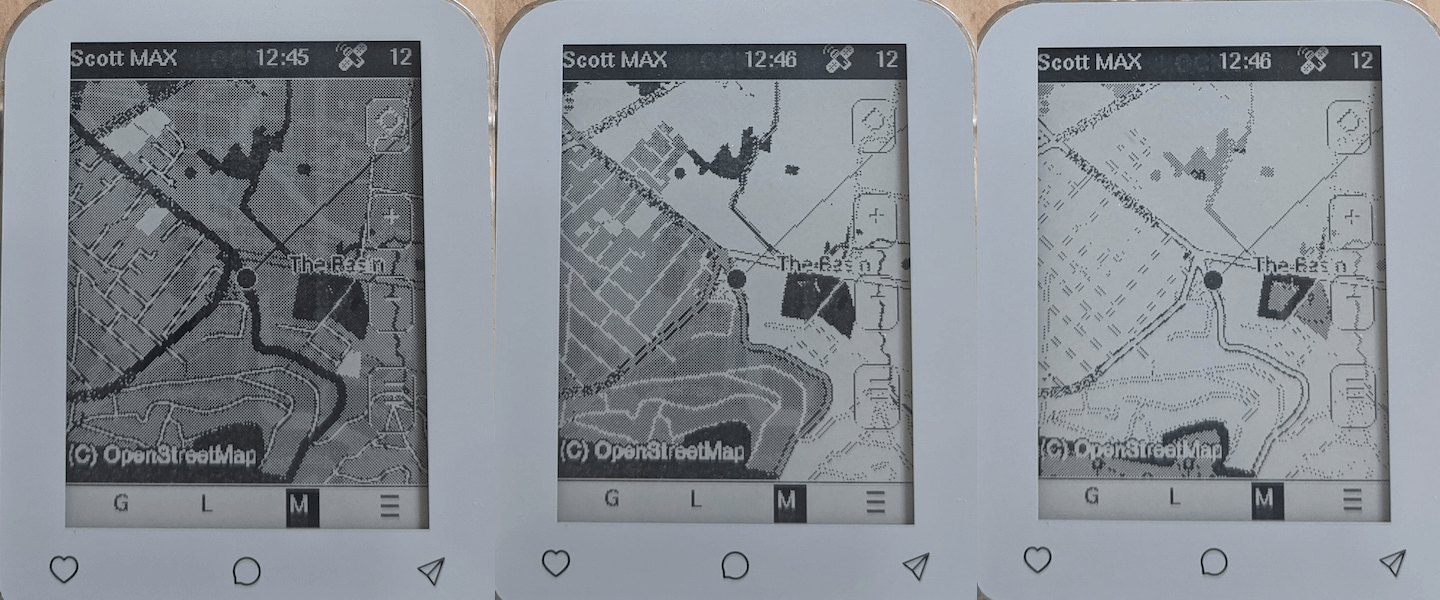
The colour tiles are now dithered and work surprisingly well. The translation of the colours is not always ideal, so you can manually adjust a contrast threshold value used by the algorithm, by pressing ALT+1..9. Below is the same map view, but with contast: ALT+5, ALT+4, ALT+3
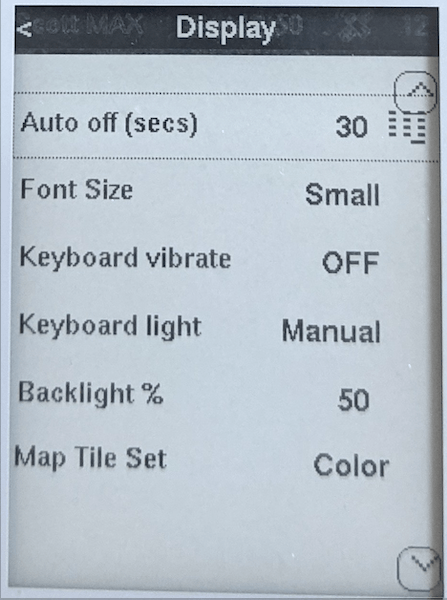
The new Display preferences screen has the option for switching the map tile set:
Crash Fixes
There were three separate bugs found, related to multi-byte paths, and rxlog (Diagnostics screen). The crashes were only very intermittent, but so far the v12.3 seems to be super solid.
Map Tile Download
There is now a dedicated WiFi config screen (from home Extra menu):
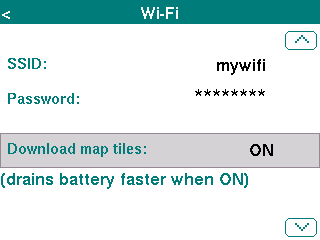
Then press ENTER to save changes. You will then be prompted to reboot the device to apply the changes. This is a little cumbersome, but it really pays off in terms of battery drain if the WiFi is off from the boot state.
After enabling the WiFi downloads, you should see the orange dot from the menu which indicates the connection is successful:
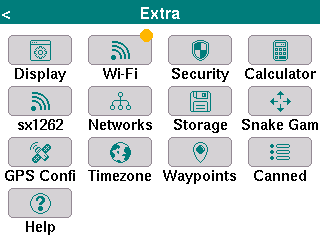
NOTE: For the epaper devices, the map tile download is only for the color tile set option!
With the tile download enabled, the map tiles are downloaded (and saved to SD card) on demand as you zoom/pan. Note, there is no bulk tile downloading supported at this time.
New devices
Two new devices are now supported:
- Seeed MeshPager X2
- Seeed WIO Tracker L2 Pro
GPS Compass
When the device is moving, there is now a blue direction arrow rendered. For the new devices (X2, L2, and M9) which have a digital compass, the arrow is rendered even when device is not moving, and updates as you rotate the device (device must be horizontal).
The digital compass also requires calibration, and there is a new home Extra menu: Calibrate Compass
Download
The new firmwares are all available via the MeshCore Flasher.