
Admin
Release v1.18.0
Download
Latest firmwares are in the flasher.meshcore.io
Change Log
New Features
- #3298 Companion CLI (incl. new TXT_TYPE_CLI_COMMAND (3))
- #3279 Companion: Node Discover UI
- #3329 Companion CLI: new ‘get/set tz.offset’ command
- #3357 WiFi companion CLI work. (new wifi.enabled/wifi.status CLI commands, etc)
- #3442 Companion CLI: reboot, poweroff and shutdown commands added
- #3458 Companion CLI: ‘get wifi.pwd’ added
- #3402 Sensor node, telemetry push (subscribe/unsubscribe)
- #3497 Companion: support for telemetry push
Enhancements
- #3268 Add support for RAK12500 and RAK12501 GPS on RAK3401
- #3249 Companion channel sync now faster
- #3250 T114: Companion UI charging indicator
- #3239 Repeater, loop-detect minimal now default
- #3371 T-Beam-1W thermal fan control
- #3459 Thinkode m7: BLE variant now has WiFi support
- #3200 New ‘gps diag’ command
- #3201 L76K GPS enhancements
- #3202 Thinknode M6: xpose external-power and charger state (via ‘power’ command)
- #3525 Meshtracker X1 & t100: GPS wake/sleep now faster
- #3538 ‘hidden repeater’, now not discoverable if adverts turned off
New device support
- #3180 Thinknode M8 support
- #3248 WIO Tracker L1 1W support
- #3108 Add Muzi Base board support (Duo + Uno + SuperIO)
- #3463 Thinknode M4
- #3574 Waveshare ESP32-S3 LR1121
Bug fixes and Other
- #3275 Fix PA on RAK3401 when GPS missing
- #3290 WIO tracker L1: Hibernate menu removed
- #3234 Bosch sensor alt I2C address support (BME680, BME280)
- #3236 Xiao C3 BLE companion fix
- #3235 Companion CMD_SEND_RAW_DATA multi-byte path fix
- #3218 LR2021 driver setTxPower fix
- #3319 Fix Meshnology W12 TX power
- #3379 LR2021 startReceive() fix
- #3386 group channel data bounds check fix
- #3395 Command buffer bounds checking fixes
- #3389 ‘set af’ range check validation
- #3002 nRF52 power management config fixes
- #3393 extra null and range checks in packet pool manager
- #3430 Thinknode M7 companion ethernet variant
- #3449 Keep LED off before poweroff
- #3431 Companion AbstractUITask overhaul
- #3436 WIO E5 fixes
- #3468 Thinknode m4: don’t touch crystal and OTA name
- #3469 ‘set agc.reset.interval’ validation fixes
- #3464 LR1121 DC-DC & Misc Updates
- #3490 Heltec CT62 fixes
- #1809 MACThenDecrypt, reject if not block aligned
- #1896 preserve system time across reboots
- #2472 T-Echo Lite: KISS USB variant
- #3155 Promicro, added INA226 support
- #3301 Fix clock on Heltec T1
- #2065 T1000-E sensor power pin mapping fix
- #2838 GPS: poll up to 5s for cold-start detection
- #3568 tranport-code 0 now treated same as un-scoped
- #3573 ACK direct-mode forwarding now applies retransmit delay config (was 0)
- #2377 Low voltage boot lockout now disabled on most nRF52 boards
Companion CLI
With v1.18.0 of the MeshCore companion firmware, we have introduced a new Companion CLI.
This is similar to the existing Remote Management CLI that you may be used to using with repeaters.
Prior to v1.18.0 firmware, any custom commands that users wanted to add to companion firmware, would have to be allocated a new companion protocol command ID, and avoid conflict with other custom firmwares.
This was becoming cumbersome as new hardware variants released by manufacturers were starting to need custom commands to turn specific hardware features on and off.
Unfortunately this also meant companion applications would need updating to support the new custom functionality.
To make things easier, the new Companion CLI allows for a simple, text based, extensible command line experience for your companion nodes.
The companion applications no longer need to be updated when a new CLI command is added to the firmware.
As of MeshCore App v1.50.0, you’ll see a new Command Line option in the settings screen.
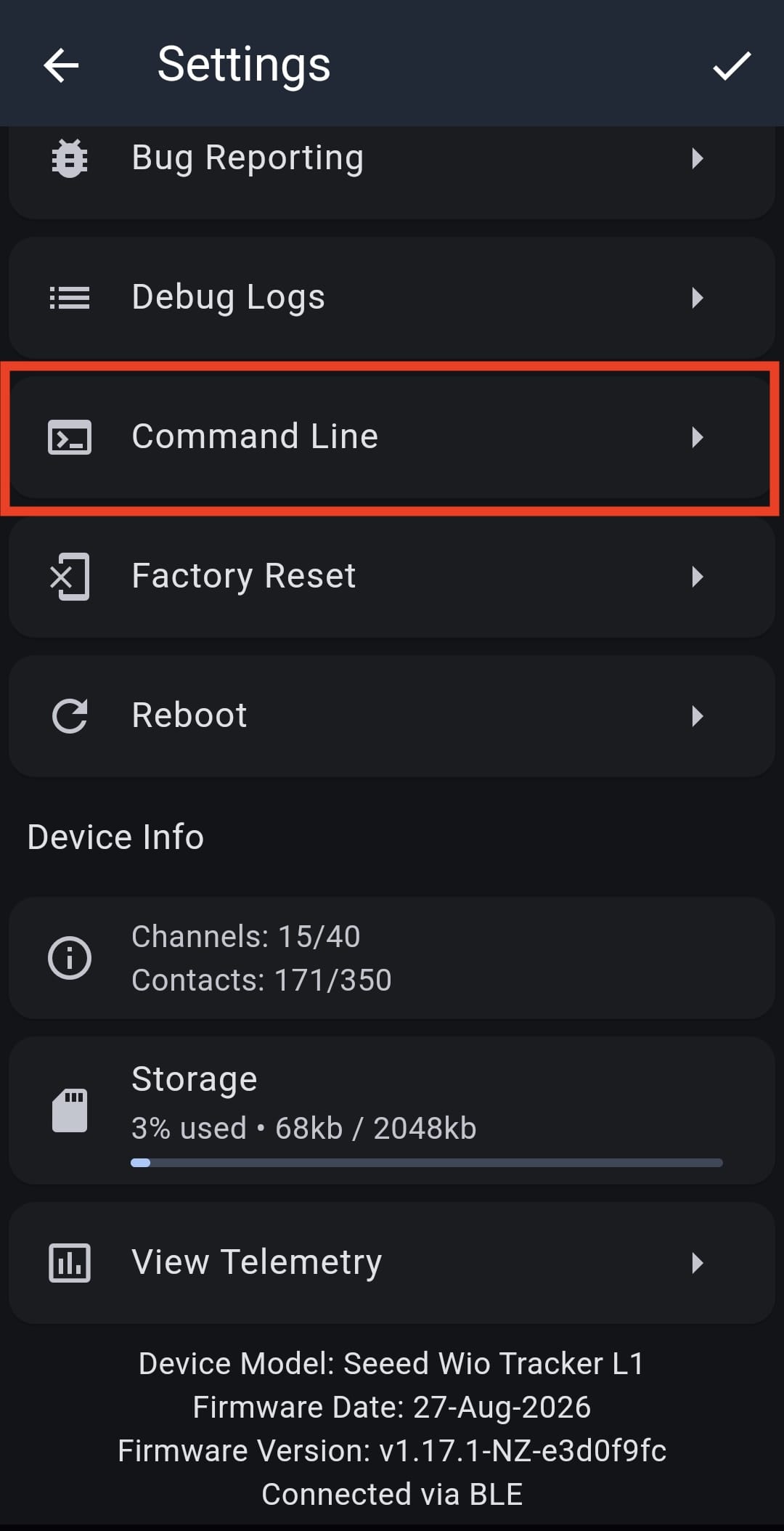
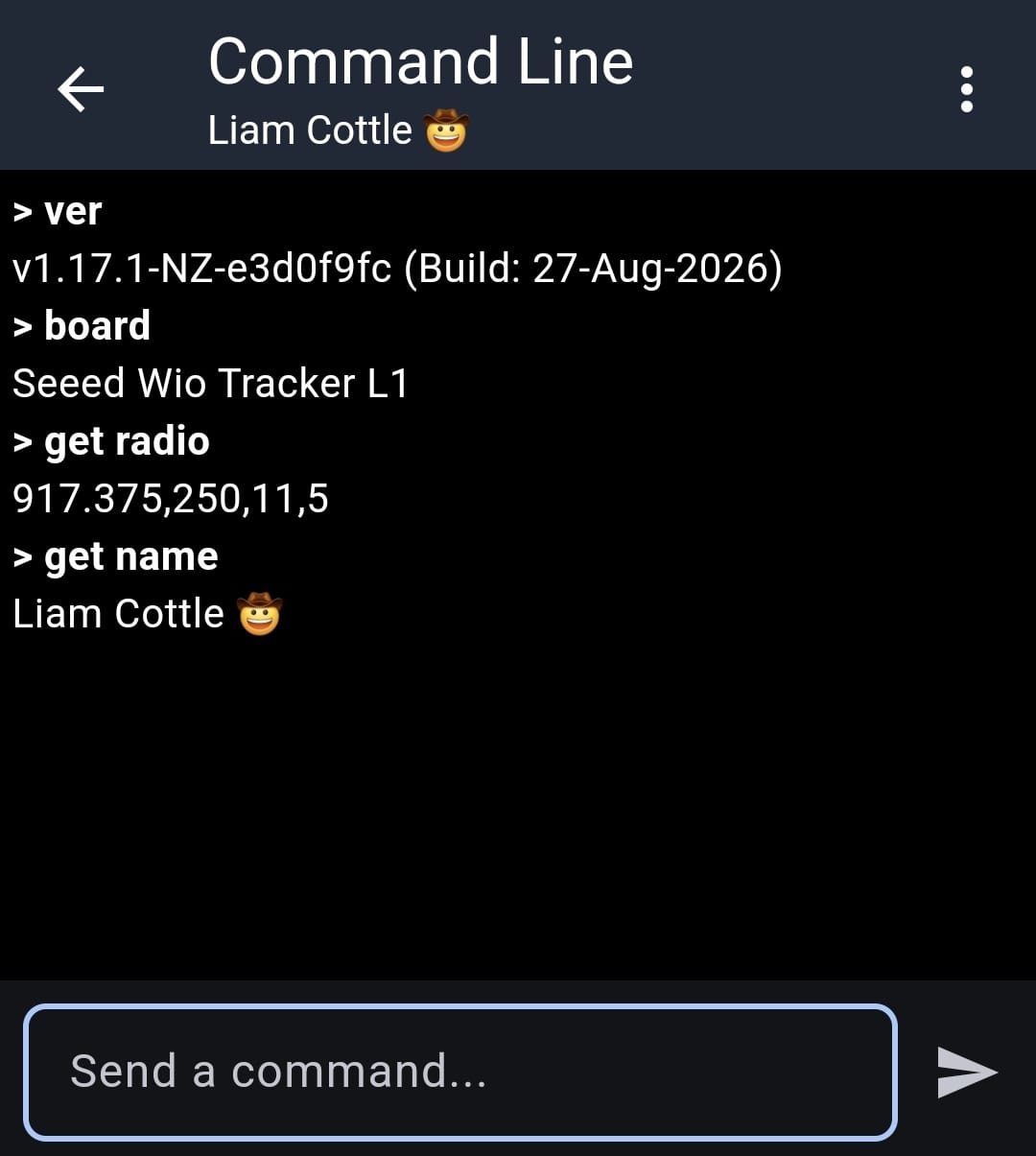
From here, you can send CLI commands to your local companion device. Any custom commands you may decide to register in the new handleCommand function of the MainBoard class in custom firmware will also be available.
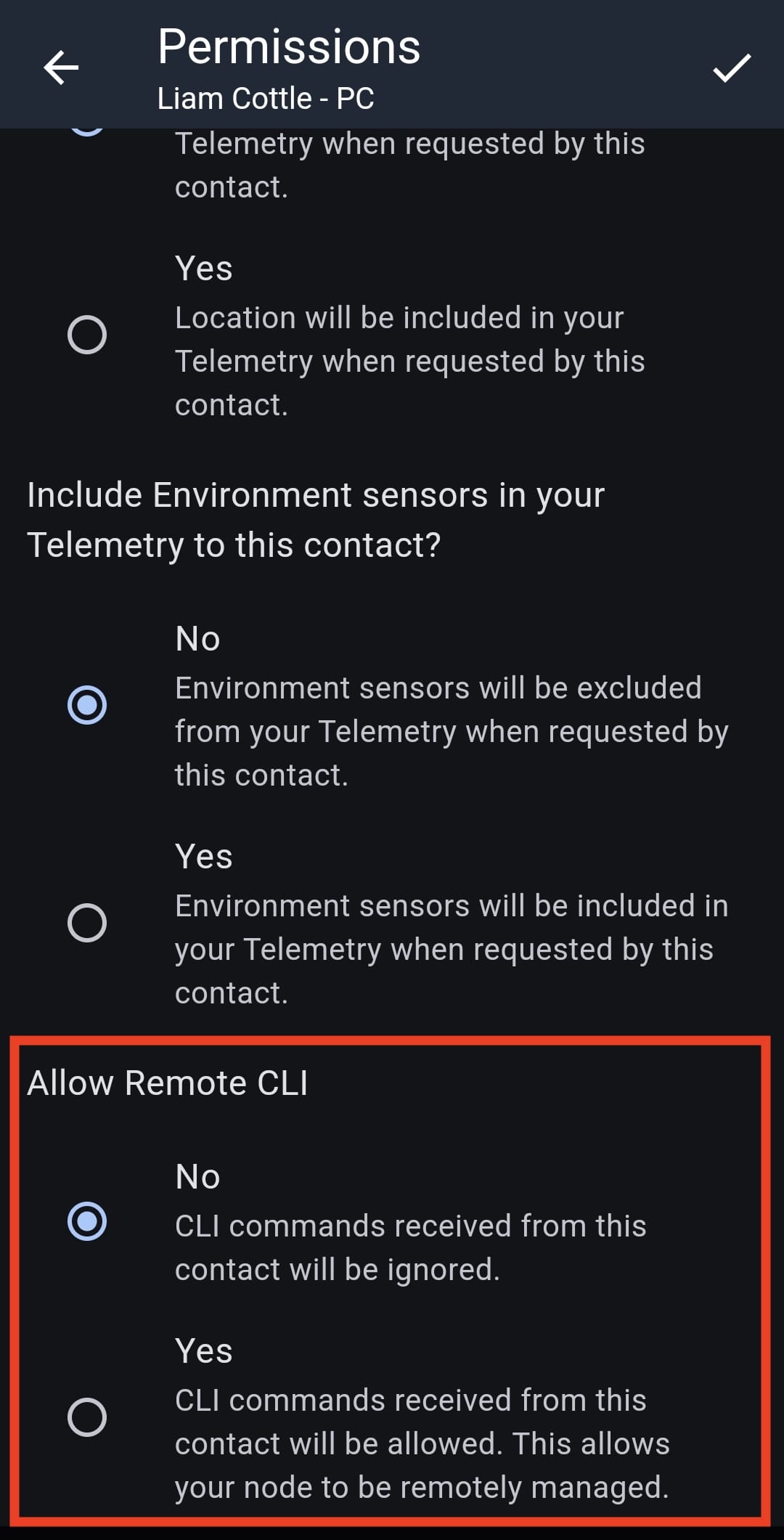
Along with this, we have also introduced Remote Management of Companion nodes. A new Remote CLI permission has been added to the contacts database, and when this is switched on, it will allow that contact to send CLI commands to your companion node.
This is a very sensitive permission to grant, as it allows for managing radio settings, updating node names and also rebooting the device via the mesh.
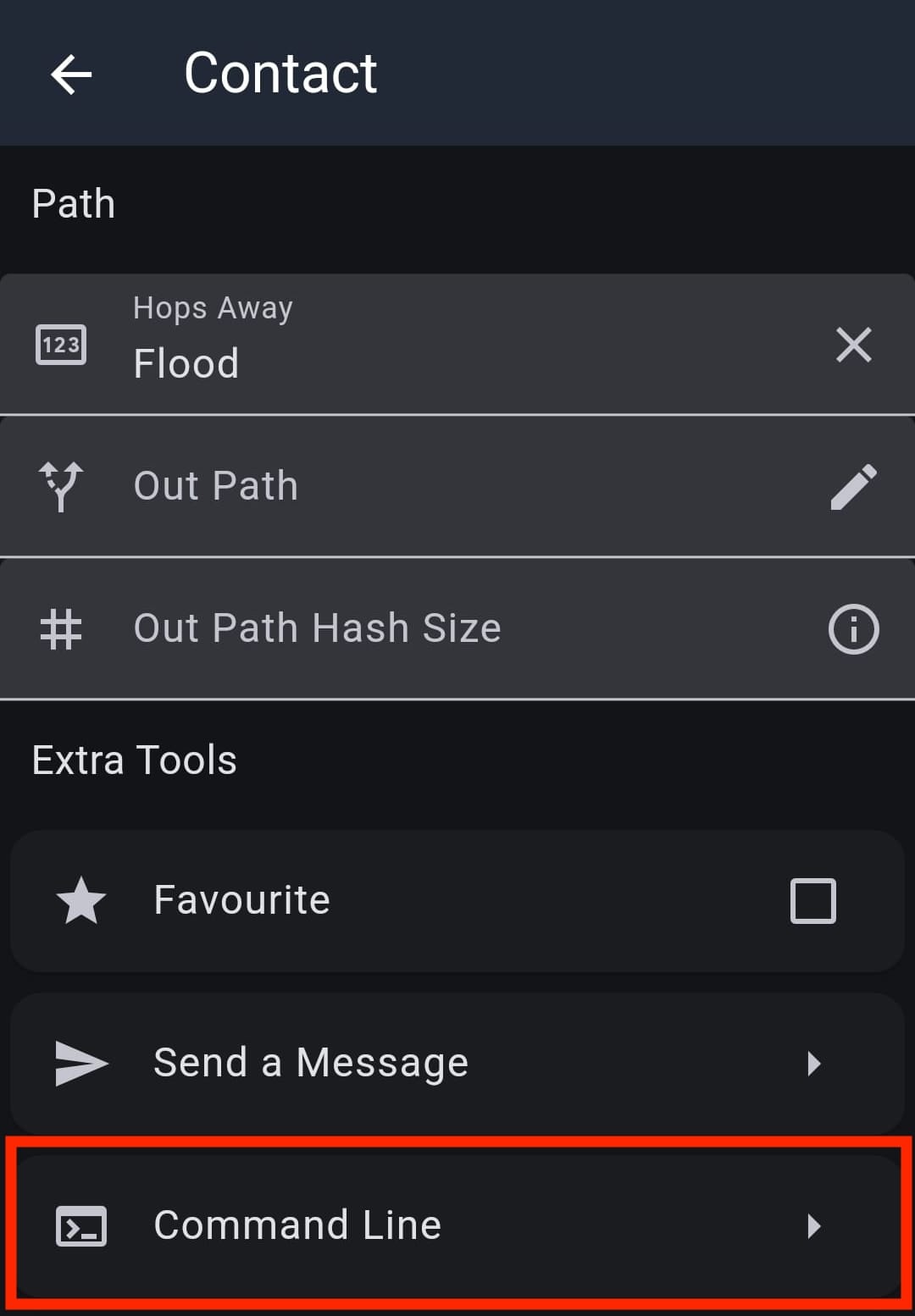
A new Command Line button has also been added to the Contact Details screen in the Extra Tools section. This allows you to send CLI commands to other companions nodes via the mesh. You will only receive a response from the remote companion node if they have given your node permission to send Remote CLI commands.
We hope the new Companion CLI feature improves your experience in developing awesome things on top of MeshCore!
Multi Interface Companion Firmwares (BLE+WIFI)
Since the beginning, we have strived to keep our firmware sizes as minimal as possible, to allow MeshCore to run on the most constrained hardware available. To allow for this, companion firmwares have always been separated into individual BLE, USB and WiFi builds.
This helped to keep RAM and flash usage low, however it came with the downside of needing to reflash your companion node with a different firmware every time you wanted to change the connection method.
As of MeshCore firmware v1.17.0 in PR #3049, we introduced a new MultiSerialInterface class, that allows the MeshCore companion firmware to accept connections from multiple modes, such as BLE and WiFi at the same time.
This increases RAM and flash usage, however it allows users to connect to a MeshCore companion node via either connection option as needed, without requiring the user to change the firmware on their node each time.
When this was introduced, the only hardware board that it was enabled for was the Elecrow ThinkNode M7, which allows connecting via BLE, WiFi and Ethernet all from the one firmware.
With MeshCore companion firmware v1.18.0, we have expanded this to a few extra devices:
- Heltec v3
- Heltec v4
- Heltec v4 r8
- Heltec Wireless Paper
- RAK3112
- Xiao S3
- Xiao S3 WIO
Users with these boards will now be able to connect via BLE and configure their WiFi credentials via the MeshCore App.
Some hardware doesn’t have enough RAM to allow for the coexistence of BLE and WiFi, and so these devices will still require you to choose from the specific connection mode firmware builds.
We are looking at alternative options, such as switching from Bluedroid to NimBLE for our Bluetooth stack, which drops RAM usage significantly, and can allow for BLE and WiFi on some of the more resource constrained devices.
For those of you who want to build your own custom firmware with BLE and WiFi support, for an ESP32 device that we haven’t enabled it for yet, all you need to do is add -D ENABLE_WIFI_INTERFACE to the build_flags and +<helpers/wifi/*.cpp> to the build_src_filter in an existing BLE variant. Please see PR #3591 for an example of how to do this.
The USB connection method is not included with the BLE+WIFI builds at this time, as it is used for serial logging. We will look to revise this in a future firmware update.
WiFi Settings in the MeshCore App
Now that we are starting to support BLE and WiFi at the same time, it makes sense to be able to configure it through the app.
As of MeshCore App v1.50.0 there is a new WiFi Settings section.
This will allow you to connect to your companion node via BLE, configure your WiFi credentials and when your node reboots it will automatically connect to WiFi.
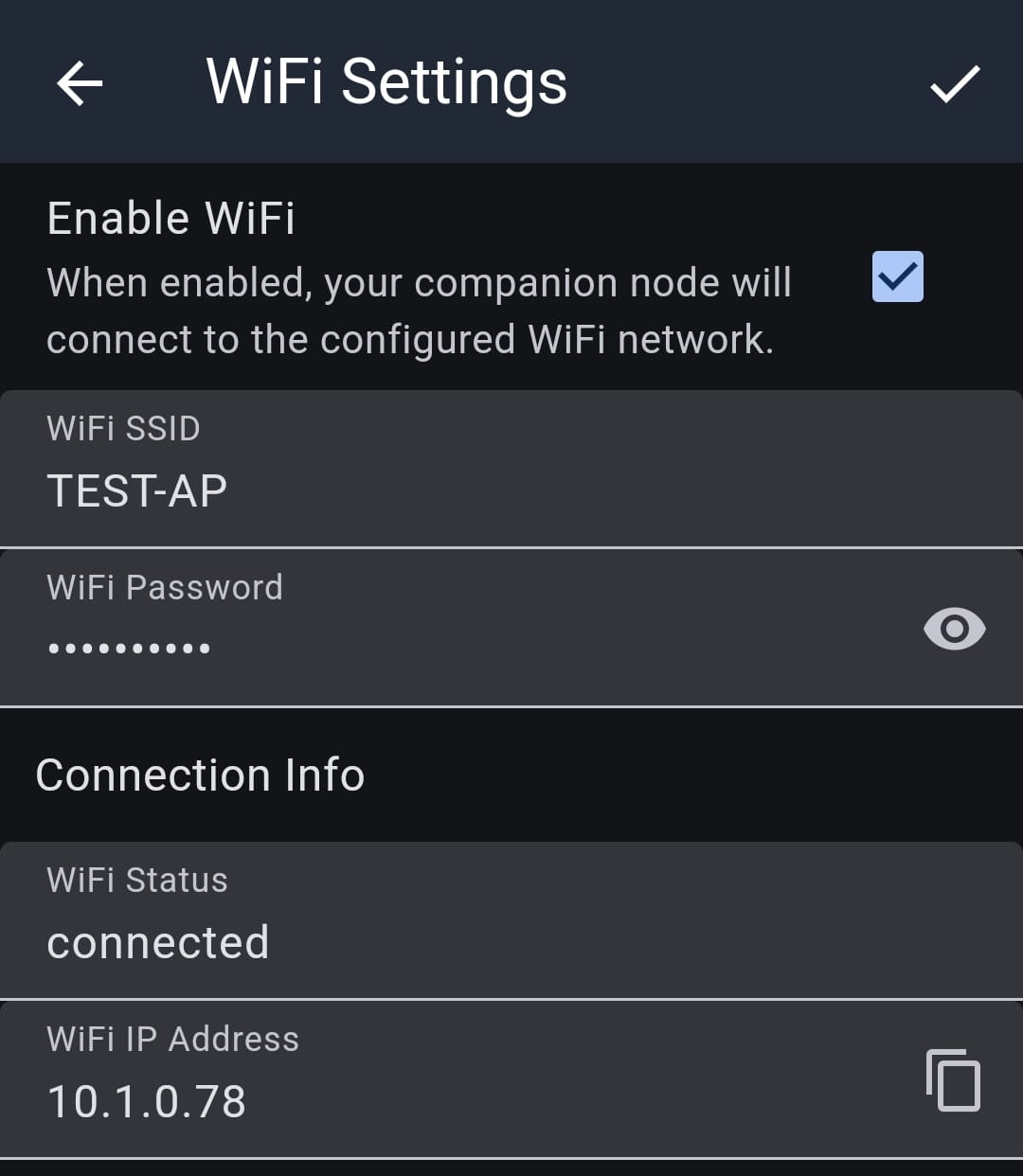
For those using other companion apps, the WiFi credentials can be configured via the new set wifi.ssid and set wifi.pwd CLI commands.
Please see PR #3357 and PR #3458 for more info on these changes.
We hope these changes lead to a more enjoyable user experience, and we hope to roll these out to more boards in the future!