
Rastislav Vysoky (recrof)
OTA Updates by Drone
OTA Updating hard to reach nRF52 based repeaters with a drone
As we added more and more repeaters to our local mesh in Slovakia, we found out it’s not always possible to physically reach some repeater sites often enough. We incrementally got better in addressing this issue by experimenting with different approaches. I built a custom nrf dfu app that works on desktop OSes, so you can use external bluetooth adapters with rp-sma ports and directional antennas.
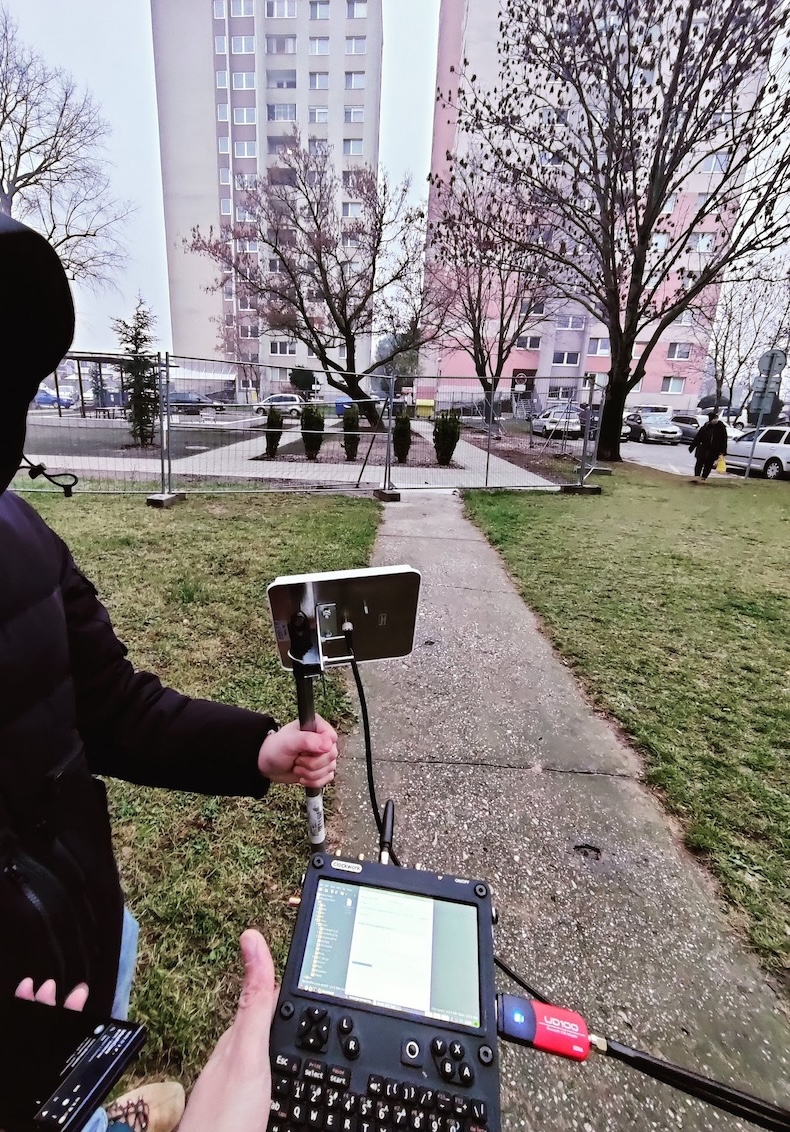 Updating local repeater with uConsole, high-power BLE adapter and directional antenna
My buddy lucidnx started to experiment with nrf_dfu_py and created a whole framework for drone updating. This solution works well, but the rpi zero approach is not trivial to setup, requires additional DIY and it’s hard to use and debug. That’s why I decided to build more user-friendly version, so the drone doesn’t need to carry whole linux board on its back.
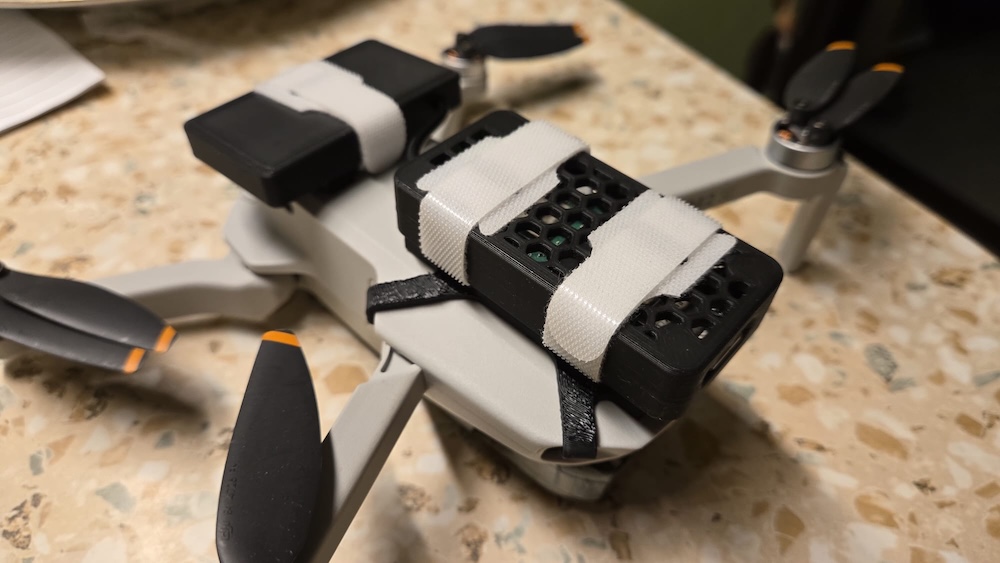 Older version of Drone updater - with Raspberry Pi Zero 2W and hefty battery pack. 70g total payload
The Star of the Show
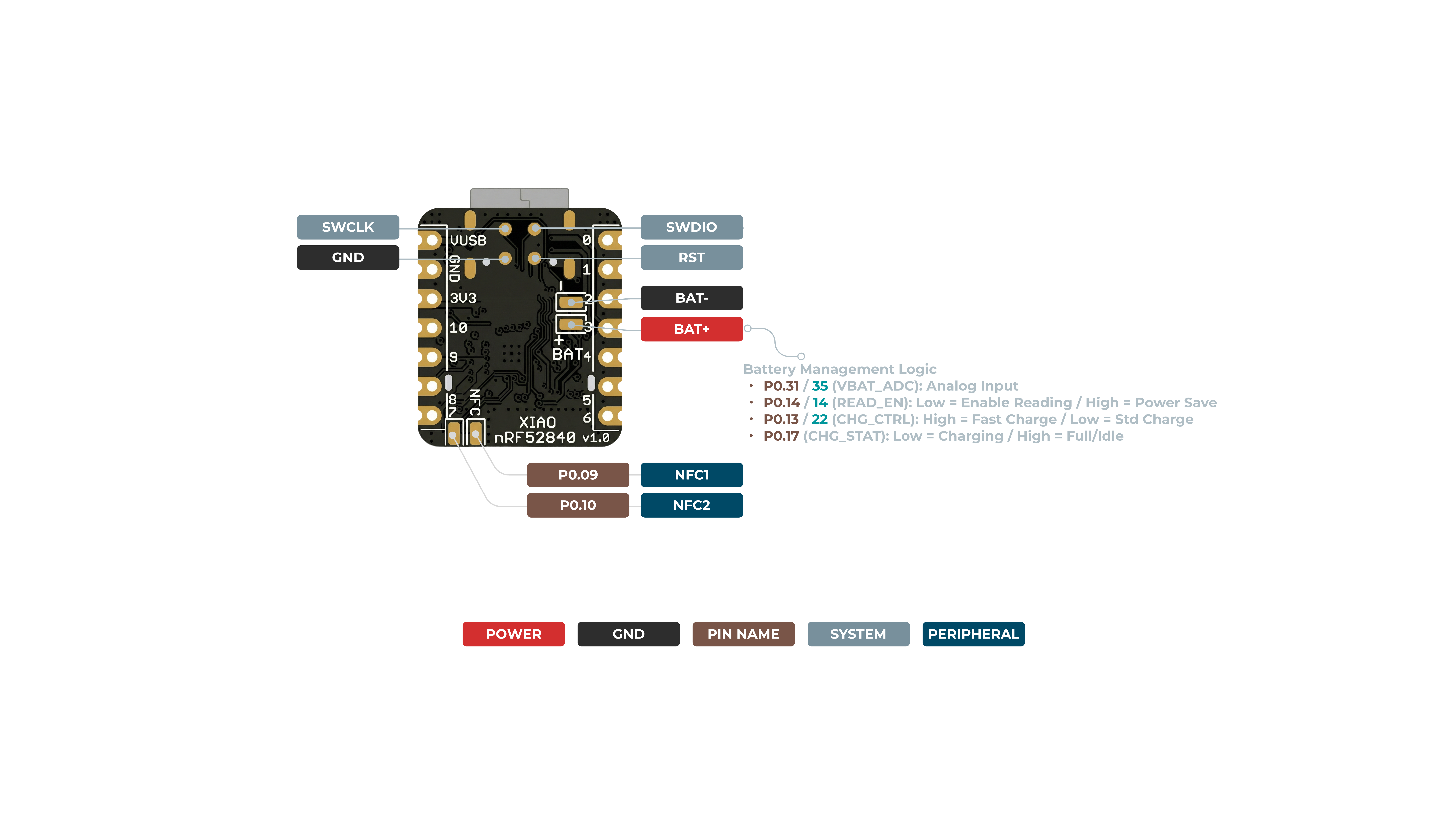
Xiao nRF52840 packs a perfect combination of things you want for very small low-power repeater updater: nRF MCU is power efficient, it has 2MB of onboard flash and it has full blown USB controller. Inspired with Arduino bootloader that has UF2 mode, I decided to use the external 2MB flash as Mass Storage with real FAT12 filesystem, so you can even use a phone to copy over the firmware file, configure the updater and review the update log - very handy in the field.
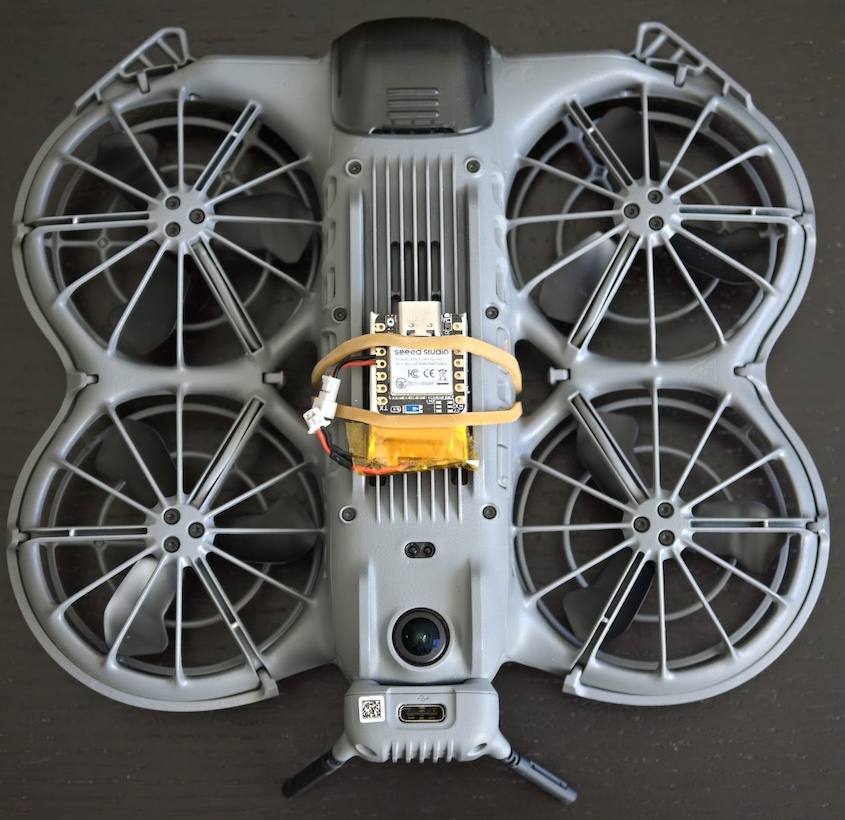 DJI Neo2 with Xiao nRF52840 updater and 250mAh Li-Ion battery. 7.5g total payload
How to setup and use the updater
Be sure the repeater you want to update uses oltaco’s OTAFIX bootloader with version at least 2.1 or higher
Get the firmware on Project releases page. There are 2 boards supported: Xiao nRF52840 and RAK3401/RAK4631 with RAK15001 external flash module. We’ll focus on Xiao, as that’s easier to pick up for most of the readers.
- Download
updater-xiao_nrf52840-vX.X.uf2 - Connect Xiao to your computer over USB
- Double click the small reset button near the USB port - you might need to use your fingernail to do it
- Copy the
updater-xiao_nrf52840-vX.X.uf2to newly opened usb drive - Xiao will restart(you might get error about unsuccessful transfer, disregard)
- You will be presented with new empty USB drive labeled “XIAO DFU”
- Copy config.txt over to the USB disk
- Open the
config.txtwith text editor - Set the
ble_nameto OTA name your repeater uses, here are few examples:4631 | 3401for RAK based boars - covers both RAK4631 and RAK3401 1WSENSECAP | SCAPfor Seeed SenseCap Solar P1XIAOfor XIAO NRF52 based repeater(yeah, you can update Xiao with your Xiao!)T114for Heltec T114ProMicro | PROMfor FakeTec / Promicro based boards
- (optional) Set any config parameters you like, but the defaults are well balanced already
- Download and copy firmware zip that you want to flash to your repeater
- Decide how you want to power your Xiao board.. I would recommend to solder battery leads to battery pads, but you can wing it with USB power if want.
- Attach the Xiao to your drone, send
start otato your repeater and make sure Xiao is blinking blue - that means it’s ready to flash your repeater - Fly near the target as close as you can - transfer will start as soon as Updater detects ble_name with min_rssi or better.
- Keep Pinging your repeater via LoRa - it will tell you if the process started and later after few minutes, starts to be reachable again.
- Get your drone back and look at the Xiao LED color - if it’s GREEN, the update was successful, if it’s RED, it failed. if it still blinks blue, that means the update did not even start - ble_name was not set right, the rssi was too weak or
start otafailed - (optional) you can look into the
log.txtin Xiao’s USB drive - it should hold update process with timestamps relative to boot. You can look at how successful update log looks like
Let us know if this guide helped you flash your distant repeaters! Don’t hesitate to ask any questions either in the comments or on our Discord.